Photo Scan, Restoration, and Black & White Conversion
Background/Context
Role: Digital Artist & Retouching Specialist
Tools Used: Epson V700, Photoshop, Lightroom Classic
Company: Omega Photo
Overview
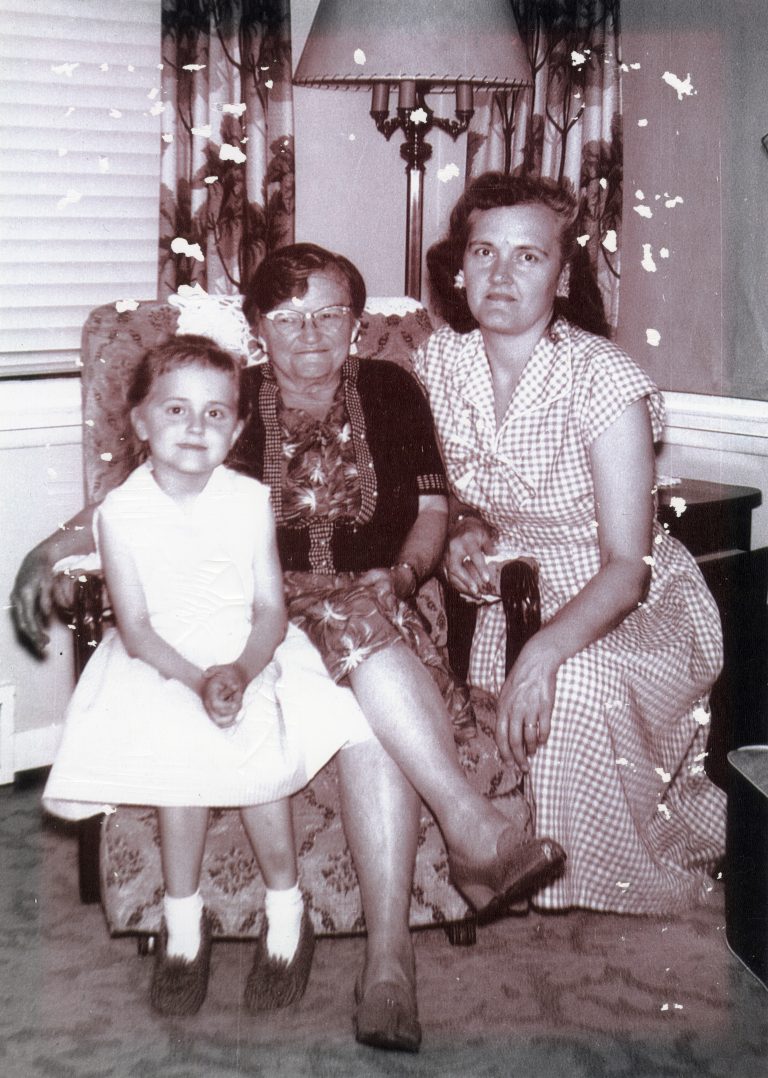
This project involved scanning, restoring, and adjusting an older photograph that had visible damage from aging. The original image showed significant white spots caused by the photo laminate and ink peeling over time. The client wanted the image restored and converted to a neutral black and white, as the photograph had previously been framed and exposed to sun damage.

Process
Scanning and Damage Assessment
I began by scanning the original photograph to assess the extent of the damage. The peeling laminate created white spots throughout the image, which disrupted both detail and tonal balance.
Restoration and Cleanup
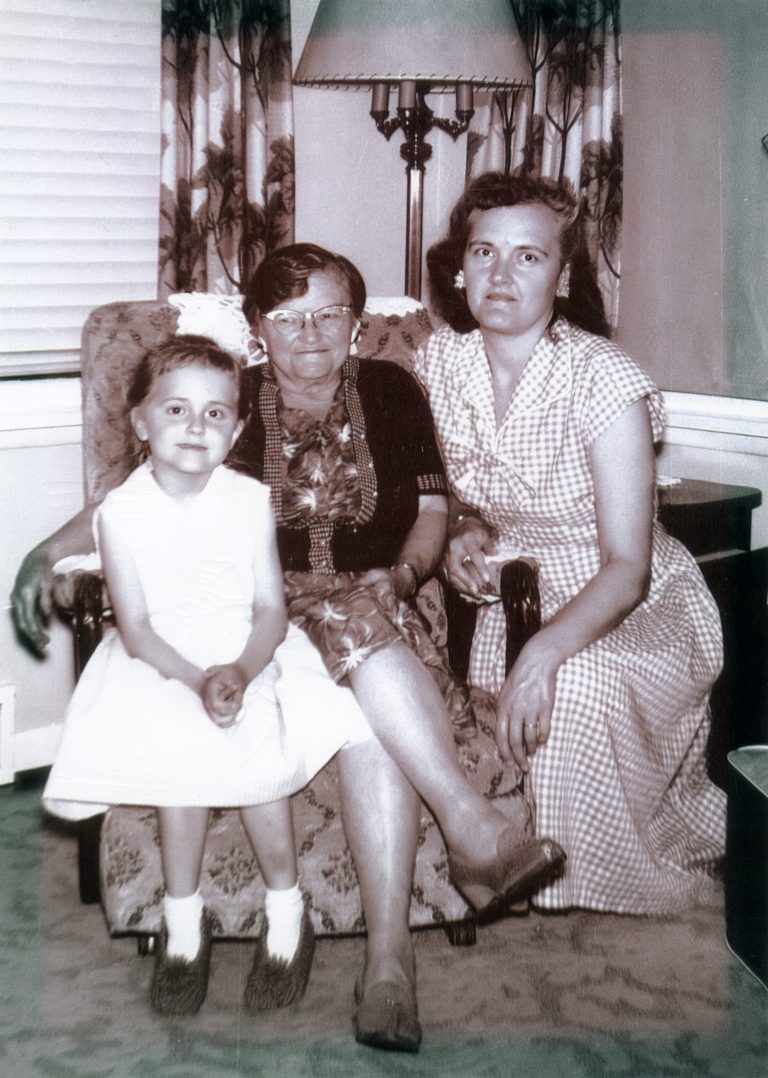
Using Photoshop, I carefully restored the affected areas by cleaning up each white spot where the image was peeling. The goal was to repair the damage while keeping the texture and character of the original photograph intact.
Black and White Conversion
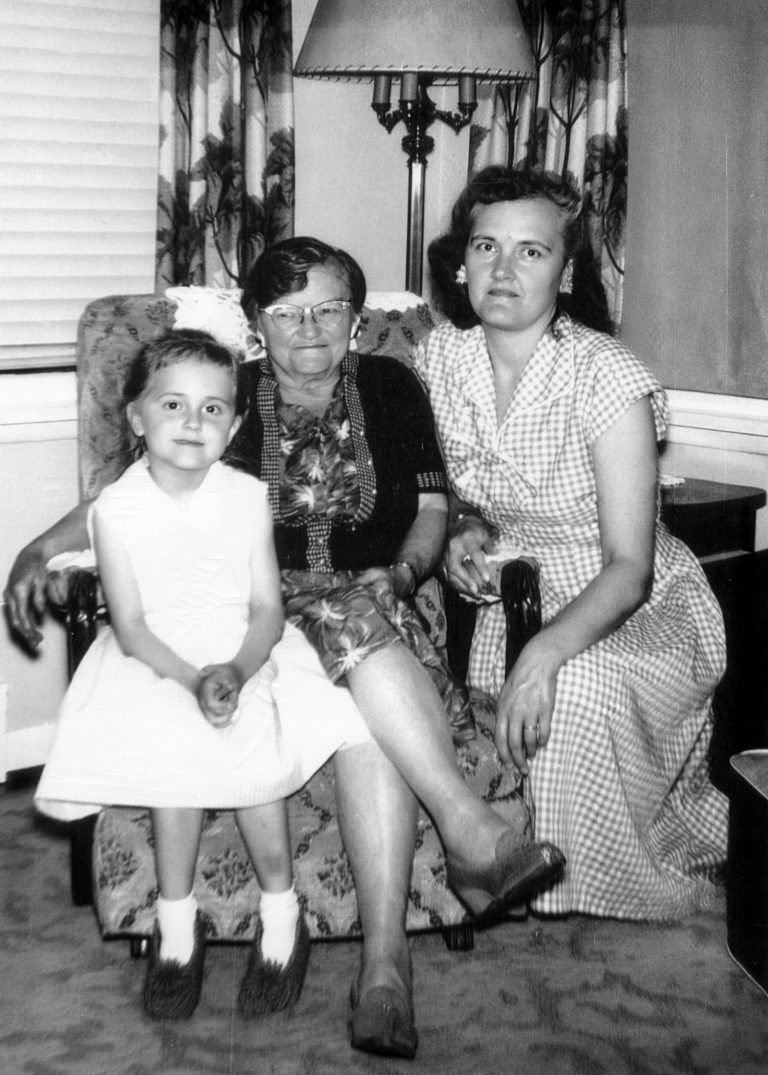
Once the restoration work was complete, I brought the image into Lightroom Classic for final adjustments. The client requested a neutral black and white finish, so I focused on balancing tones and contrast to create a clean, timeless result that minimized the appearance of sun damage.
Results and Reflection
The final image successfully removed the visible damage and presented the photograph in a balanced black and white style that felt appropriate for its age and condition. This project highlights my attention to detail during restoration work and my ability to transition seamlessly between Photoshop and Lightroom to achieve a polished final result.