Role: Digital Artist & Retouching Specialist Tools Used: Epson V700, Photoshop, Lightroom Classic Company: Omega Photo
Overview
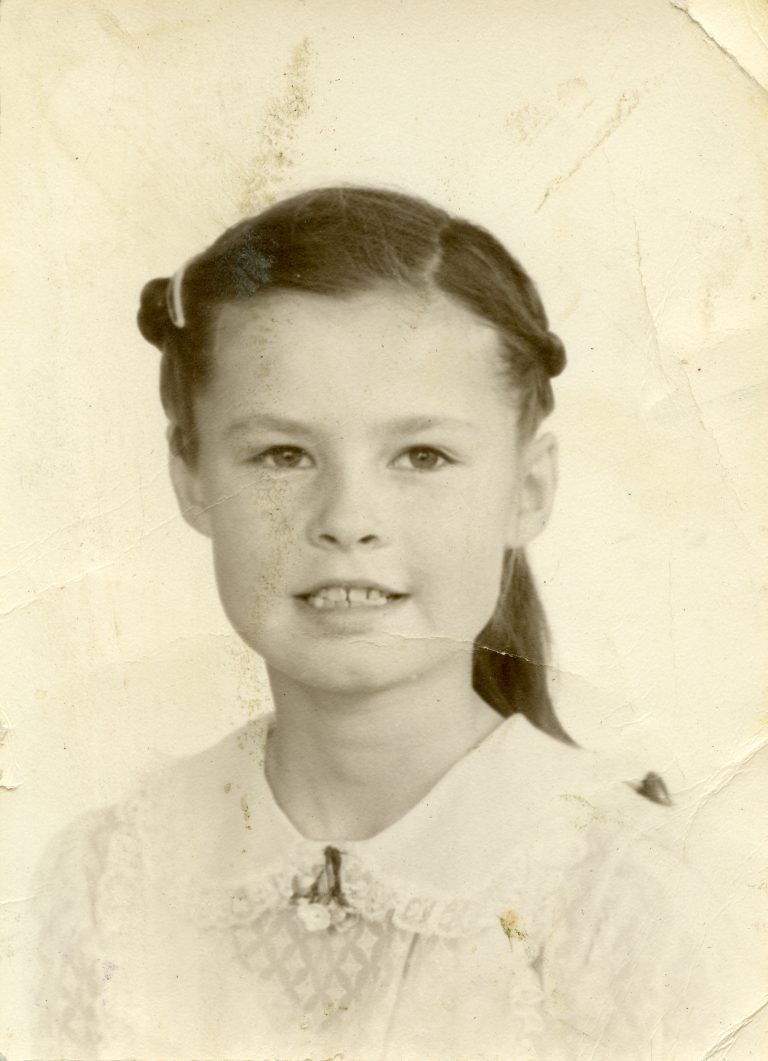
This project involved scanning, restoring, and printing a portrait that had visible physical damage. The client brought in an original photo that was creased and scuffed and wanted it repaired, converted to black and white, and printed.
Process
Scanning and Initial Assessment
I began by scanning the original portrait to assess the extent of the creases and surface damage.
The creases and scuffs were prominent and required careful restoration to avoid disrupting facial details and texture.
Scan
Restoration and Enhancement
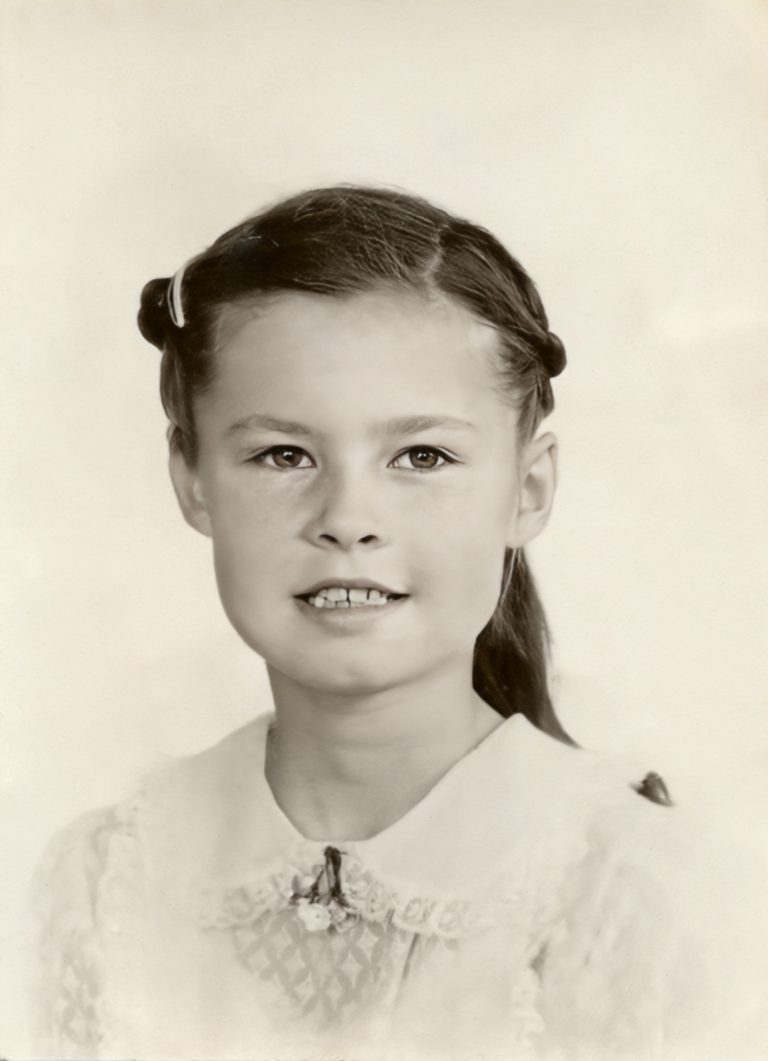
Using Photoshop, I repaired the creases and scuffed areas to clean up the image while maintaining a natural look. Once the damage was corrected, I used Photo AI to gently sharpen and enhance the portrait, improving clarity without overprocessing the image.
Restoration
Black and White Conversion and Print Setup
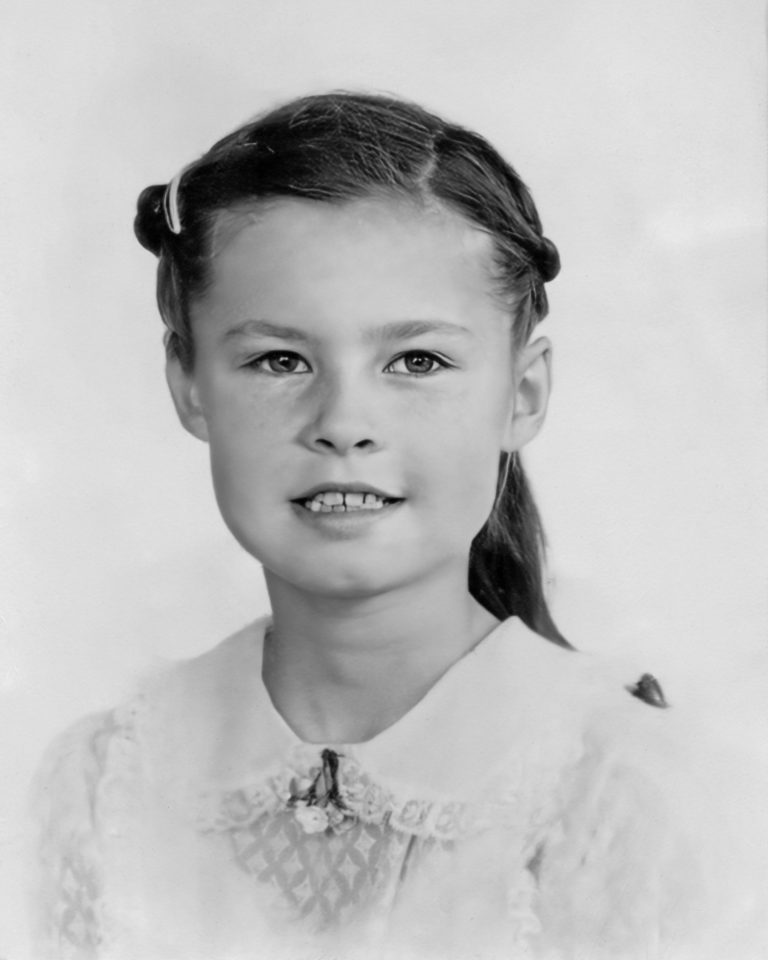
At the client’s request, I converted the restored image to black and white, focusing on balanced tones and contrast. After final approval, I worked with the lab technician to prepare the file for printing and ensure the portrait printed accurately.
Restoration
Results and Reflection
The final print successfully restored the portrait and presented it in a clean, timeless black and white style. This project highlights my ability to repair physical photo damage, enhance image clarity thoughtfully, and collaborate with production staff to deliver a high-quality printed result.